404her.com | CyberSecurity Solutions

http headers

A Walk-Through Solving Hack The Box Academy’s Web Requests Module on HTTP Headers.


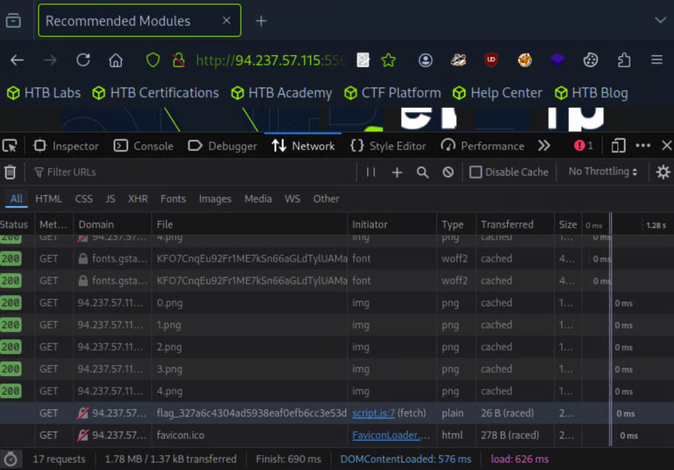
Objective: The server above loads the flag after the page is loaded. Use the Network tab in the browser devtools to see what requests are made by the page, and find the request to the flag.


Target(s): 94.237.57.115:55663


Note: I’m using Pwnbox, so you don’t need to set up a local VM for this. 

 
screenshot 2026 03 18 at 09.33.09

First, navigate to your target ip on your browser : http://<target ip>/


To open the browser devtools in either Chrome or Firefox, we can click [CTRL+SHIFT+I] or simply click [F12].


Next, navigate to the Network tab in your browser’s Developer Tools. If you don’t see a GET request’s file starting with flag_, you might have to click on reload or refresh the page while keeping your network tab open.


Once you found the request to the flag (like below), simply double click on it.

screenshot 2026 03 18 at 09.33.41

Flag captured: HTB{p493_r3qu3$t$_m0n!t0r}

screenshot 2026 03 18 at 09.33.54

Leave a Comment

Your email address will not be published. Required fields are marked *

Shopping Cart