404her.com | CyberSecurity Solutions

HTTP Requests And Responses

A Walk-Through Solving Hack The Box Academy’s Web Requests Module on HTTP Requests and Responses


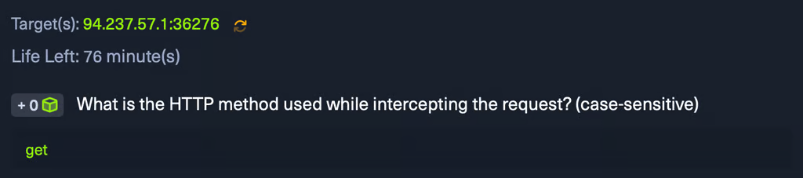
1st Objective : What is the HTTP method used while intercepting the request? (case-sensitive)


Answer: get

screenshot 2026 03 18 at 09.02.15

2nd Objective : Send a GET request to the above server, and read the response headers to find the version of Apache running on the server, then submit it as the answer. (answer format: X.Y.ZZ)


Target(s): 94.237.57.1:36276


Note: I’m using Pwnbox, so you don’t need to set up a local VM for this.

screenshot 2026 03 18 at 09.04.49 1

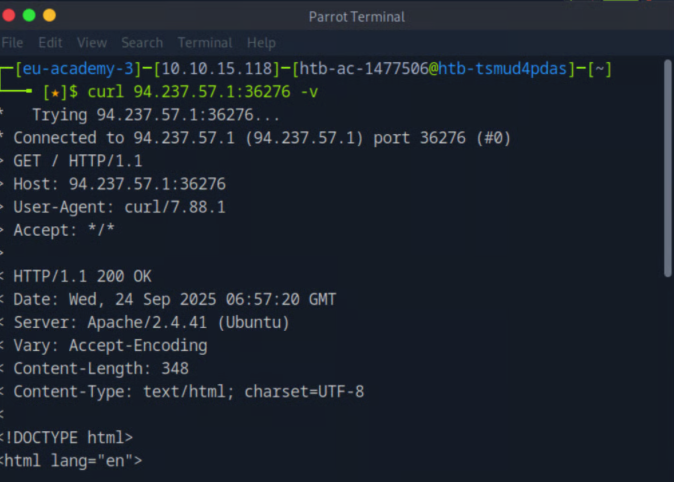
There’s two ways to find the version of apache running on the server, either by using cURL to preview the http request and response, or by checking our network tab in our browser dev tools.


cURL


To preview the full HTTP request and response using curl, we use the following command: curl <target IP> -v


The -v flag stands for verbose, which tells curl to display detailed information about both the request sent and the response received, including headers and connection details.


Answer: 2.4.41

screenshot 2026 03 18 at 09.06.32

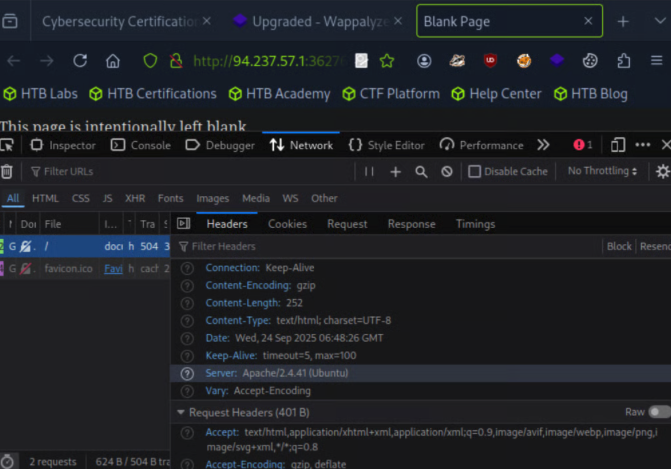
Browser Dev Tools


First, navigate to your target ip on your browser : http://<target ip>/


To open the browser devtools in either Chrome or Firefox, we can click [CTRL+SHIFT+I] or simply click [F12].


Next, navigate to the Network tab in your browser’s Developer Tools and click on the GET request made to your target IP. Under the Headers section, you should be able to find the Apache version listed in the Server response header.


Answer: 2.4.41
screenshot 2026 03 18 at 09.06.47

Leave a Comment

Your email address will not be published. Required fields are marked *

Shopping Cart